Getting Started is Easier Than You Think
No accounting degree required. Most people are up and running in under fifteen minutes — here's exactly what setup looks like.
Add your accounts
Checking, savings, credit cards, loans — enter the name and current balance for each one. For loans and credit cards, add the interest rate and monthly payment too, and BudgetBumblebee can automatically put the repayment on your calendar for you.
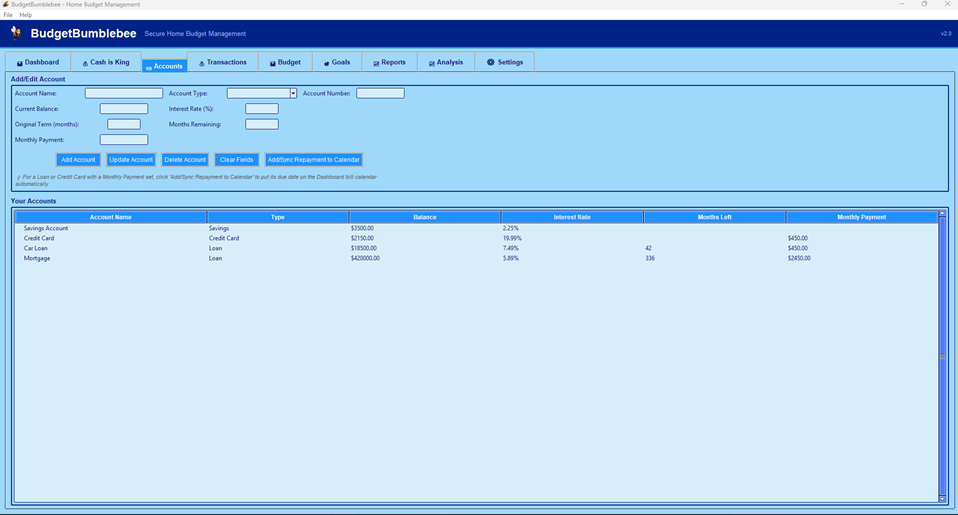 Screenshot: Accounts tab
(add a real screenshot at screenshots/accounts.png)
Set your pay schedule
Tell BudgetBumblebee how often you're paid and when your next pay date is. It'll predict future pay days automatically, so your calendar always shows what's coming in alongside what's going out.
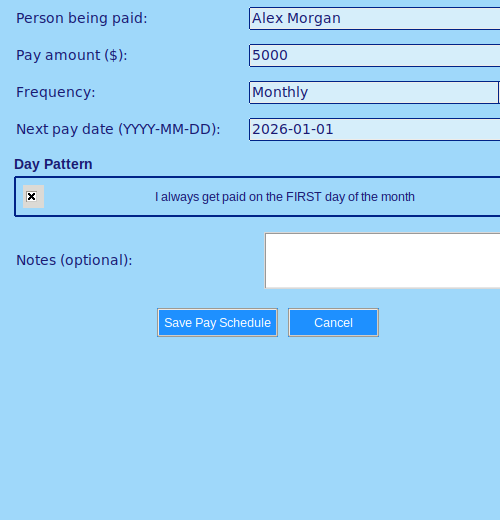 Screenshot: Pay Schedule dialog
(add a real screenshot at screenshots/pay-schedule.png)
Add your recurring bills
Rent, utilities, subscriptions, loan repayments — add each one with its due date and how often it repeats. They'll show up on a colour-coded calendar so you can see at a glance what's due before your next payday.
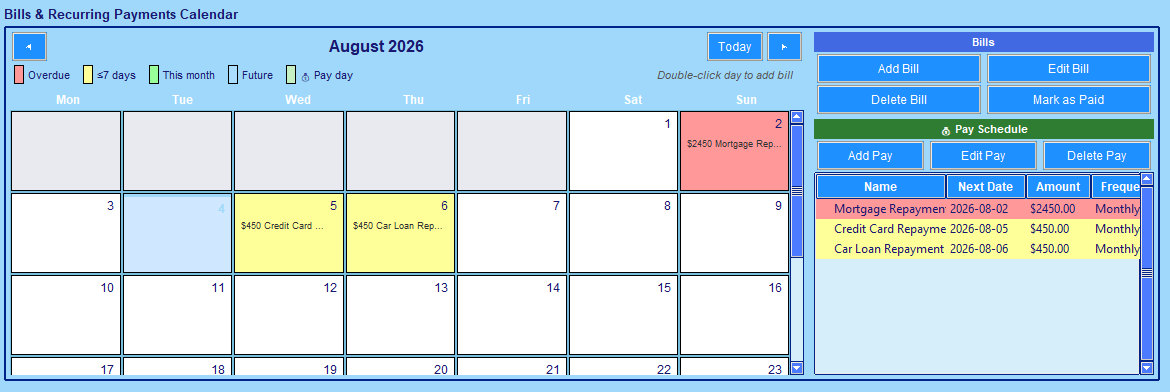 Screenshot: Dashboard bill calendar
(add a real screenshot at screenshots/calendar.png)
Bring in your transaction history
Already have a CSV export from your bank? Import it in one go — BudgetBumblebee handles the formatting and skips duplicates automatically. Prefer to start fresh? Add transactions manually as you go, whichever suits you.
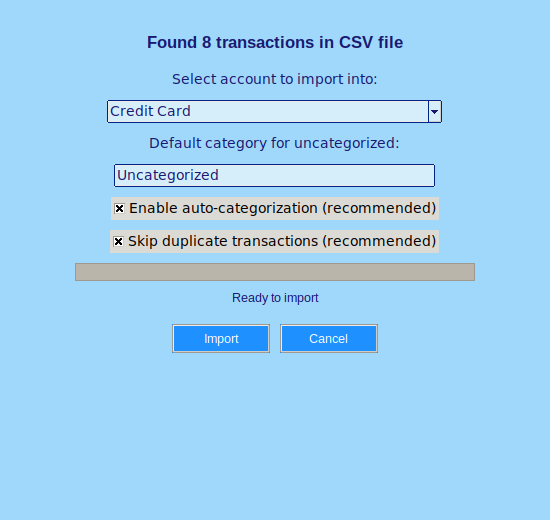 Screenshot: CSV import
(add a real screenshot at screenshots/import.png)
Let your budget build itself
Once you've got a few weeks of transactions in, click "Analyze Spending" and BudgetBumblebee suggests a realistic budget based on what you actually spend — not a guess. Review it, tweak anything that looks off, and apply it.
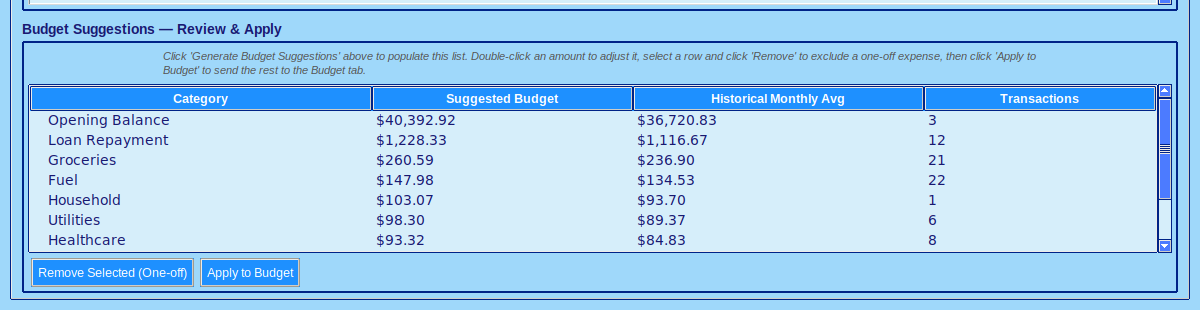 Screenshot: Budget suggestions
(add a real screenshot at screenshots/budget.png)
Check your Dashboard whenever you like
From here on, everything lives in one place: account balances, upcoming bills and pay days, and how you're tracking against budget — all at a glance.
 Screenshot: Dashboard overview
(add a real screenshot at screenshots/dashboard.png)
Once you're in, BudgetBumblebee also includes a full built-in User Guide covering every feature — Goals, Cash tracking, Reports, and more — so you're never stuck. Have a question before you buy? Check the FAQ.